
Regarding security camera systems, two brands that often come up are Reolink and Camius. Both offer a range of products designed to keep your property safe, but they differ in several key areas. In this article, we’ll compare the Reolink RLK8-800B4 and the Camius 8PR4S8RB4T, focusing on their specifications and features.
Both security camera systems have 4 4K cameras and an 8 channel NVR. What is the difference between them?
While we were comparing 2 systems, we had a hard time finding specifications of the Reolink NVR recorder Camius has provided more details on their website
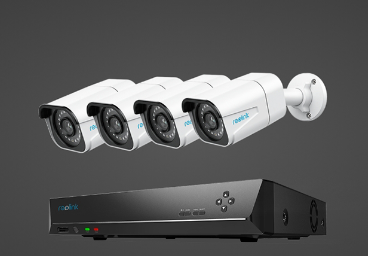
Reolink RLK8-800B4
The Reolink RLK8-800B4 is a 4K Ultra HD security system. It includes an 8-Channel NVR with a built-in 2TB HDD and supports Power over Ethernet (PoE). The system can be expanded up to an 8-camera kit with Reolink IP cameras. The cameras are either IP66 weatherproof, making them suitable for both indoor and outdoor use (
The Reolink system uses a 1/2.5″ CMOS Sensor and offers an effective pixel count of 3840×2160 (8.0 Megapixel). The lens has a focal length of 4.0mm and an aperture of F=2.0. The system supports H.265 video format and has a mainstream frame rate of 20fps.
One limitation of the Reolink system is that the cameras work only with the Reolink NVR and do not work on their own. This means you cannot use the cameras as standalone IP cameras with any device.
Camius 8PR4S8RB4T
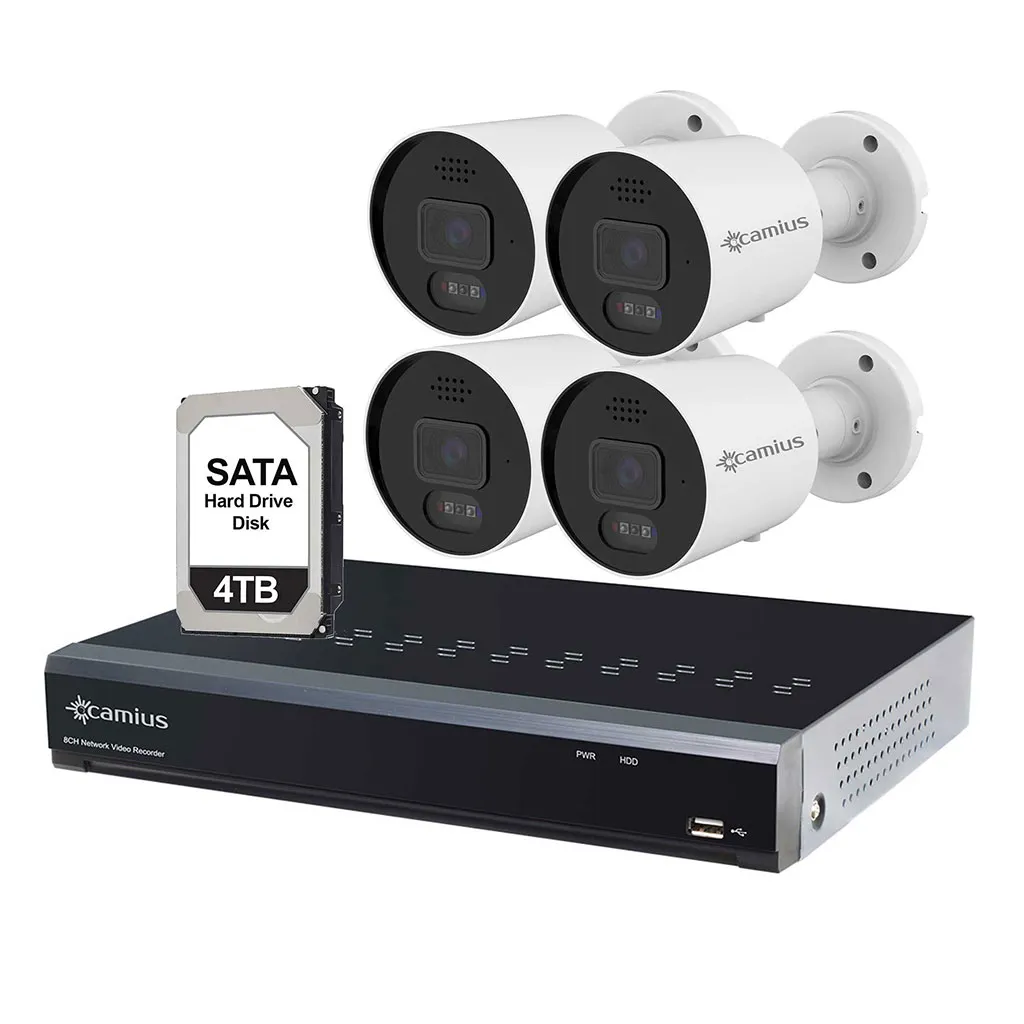
The Camius 8PR4S8RB4T is a more advanced system compared to the Reolink. It includes an 8-Channel NVR with a pre-installed 4TB HDD and 4 of SPOT828A-RB 4K PoE cameras with higher specs and features. The system supports Power over Ethernet (PoE) and features smart motion, sound, AI detection technology that can distinguish people and cars from other objects. The system can be expanded up to an 8-camera kit with Camius. The cameras are IP67-certified weatherproof, making them suitable for both indoor and outdoor use. The NVR has a high 128 Mbps bandwidth.
The Camius system uses a 1/2.8″ Progressive CMOS sensor and offers an effective pixel count of 3840×2160 (8.0 Megapixel). The lens has a focal length of 2.8mm and an aperture of F=1.0. The system supports H.264, H.264+, H.265, H.265+, and MJPEG video formats and has a mainstream frame rate of 30fps.
Unlike Reolink, each Camius camera can work as a standalone IP camera with any device. This offers more flexibility in terms of how and where you can use the cameras.
Let’s dive deeper into the comparison between the Reolink RLK8-800B4 and the Camius 8PR4S8RB4T security camera systems.
Video Resolution and Recording
When it comes to resolution, both the Reolink and the Camius cameras offer 4K Ultra HD resolution, which translates to an effective pixel count of 3840×2160 (8.0 Megapixels). This high resolution ensures detailed and clear images, which is crucial for security surveillance.
Streams
In terms of video streams, Reolink system provides a mainstream and a sub stream while Camius provides also a mobile stream. The mainstream is where the high-resolution video is transmitted. For the Reolink system, the main stream resolution can be 3840×2160, 2560×1440, or 2304×1296. On the other hand, the Camius system offers more options for the mainstream resolution, including 3840×2160, 3072×1728, 2592×1944, 2592×1520, and more. The substream is typically of lower resolution and is used for remote viewing over limited bandwidth. The Reolink system’s sub-stream resolution is 640×360, while the Camius system’s sub-stream resolution is 1280×720.
The Camius security camera system offers a mobile stream, which is a feature not available in the Reolink RLK8-800B4 system. The mobile stream is designed for remote viewing over mobile devices, providing users with the flexibility to monitor their property from anywhere at any time.
Frames per second
As for the frame rate, which is the number of frames per second (fps) that the camera can capture, the Reolink system’s mainstream runs at 20fps, and its substream runs at 7fps. In contrast, the Camius system offers a higher frame rate of 30fps for all 3 streams. A higher frame rate results in smoother video playback, which can be particularly important in security surveillance for capturing fast-moving objects or events.
In conclusion, while both systems offer high-resolution video, the Camius system provides more flexibility in terms of mainstream resolution options and a higher frame rate, which can result in smoother video playback. However, the choice between the two will ultimately depend on your specific needs and preferences.
Bitrate
In terms of bitrate, which determines the amount of data processed per unit of time, the Camius system has a higher bitrate compared to the Reolink system. The mainstream bitrate for the Camius system ranges from 8192kbps to 16384kbps, and the substream bitrate ranges from 1024kbps to 4096kbps. On the other hand, the Reolink system has a mainstream bitrate ranging from 1024Kbps to 8192Kbps, and a sub-stream bitrate ranging from 64Kbps to 512Kbps.
A higher bitrate generally means better image quality as more data is processed.
Codec
Camius cameras support not only H.265 but also H.264+, H.265+, and MJPEG and even you can select audio codec type. Reolink shows only H.265 video codec.
Viewing Angle / Field of view
Both systems offer 4K Ultra HD resolution, providing clear, detailed imagery ideal for monitoring properties. However, the Camius system has a wider angle of view (Horizontal: 106° ; Vertical: 56°, Diagonal: 126°) compared to the Reolink system (Horizontal: 97°; Vertical: 51°). This means the Camius system can cover a larger area, providing more comprehensive surveillance.
Night Vision
The Reolink system has an IR distance of 30 meters with 18pcs/14mil/850nm LED. On the other hand, the Camius system has an IR distance of 25 meters with 1 LED whose settings can be customized including switching between full color, black and white, and schedule mode, the strength of LEDs. The Reolink cameras support only auto mode.
Deterrence Features
The Reolink system does not have any deterrence features. In contrast, the Camius system offers dynamic deterrent features, including white, blue, and red lights, a siren, and 2-way audio communication3. These features can help deter potential intruders, adding an extra layer of security.
Network Protocol
The Reolink system supports SSL, TCP/IP, UDP, UPNP, NTP, DHCP, DNS, and DDNS, while the Camius system supports TCP/IP, HTTP, DHCP, DNS, DDNS, RTP/RTSP, SMTP, NTP, UPnP, SNMP, HTTPS, FTP, IPV6, Onvif Profile S/G/T. The Camius system supports more network protocols, offering more flexibility and compatibility with various network environments.
Web Browser Compatibility
The Reolink system recommends using Edge, Firefox, Chrome, and Safari. However, not every function may fully work with other web browsers, and it may fail with Safari on iPhone and iPad. The Camius system is compatible with Edge, Chrome, Mozilla Firefox, Safari, and Opera. This means the Camius system offers more browser compatibility, providing more options for users to access their security system.
NVR Bandwidth
The NVR bandwidth of the Reolink system is not specified, while the Camius system has a high NVR bandwidth of 128 Mbps. A higher NVR bandwidth allows for smoother video streaming and recording, especially when multiple cameras are connected. This specification is extremely important in a security camera system as it can either make it or break it by putting limitations on the system.
Storage
Storage is a very important feature of both Camius and Reolink cameras, but also the more demanding aspect. The Reolink system comes with a 2TB HDD which offers enough storage for 7 days’ worth of recording. However, with the 4TB storage capacity that comes with the Camius system, the user can store at least 2 weeks of recordings in 4K resolution. In addition to having a 4K option, Camius cameras offer an adjustment of bitrate which extends the number of recorded days.
In our opinion, this is a key area where the Camius system trumps the Reolink system. While it is obvious that 4TB is better than 2TB, the ability to adjust the bitrate gives the Camius system an edge. Overall, the additional storage and ability to adjust the bitrate make the Camius cameras the better choice for your camera system.
Camius security cameras review
Conclusion
While both systems have their strengths, the Camius system appears to offer more advanced features and flexibility compared to the Reolink system. Camius system’s wider angle of view, dynamic deterrent features, broader network protocol support, better web browser compatibility, and higher NVR bandwidth make it a more robust and versatile security camera system. However, the choice between the two will ultimately depend on your specific needs and preferences. Camius systems would be more preferred by prosumers, users who look for higher specs in their system, professional installers